
Latest free rare gems links
Diggy's Adventure
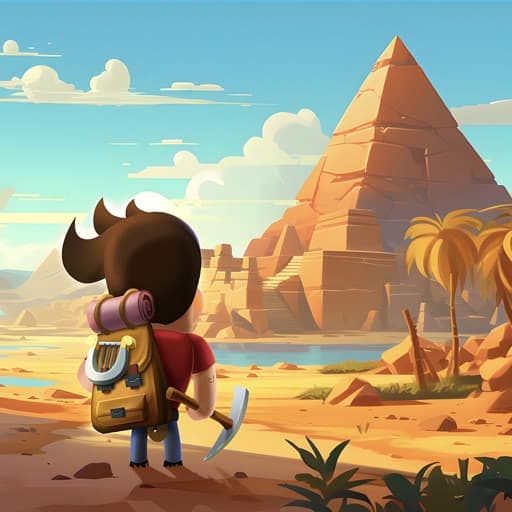
Diggy's Adventure is a puzzle exploration game from Pixel Federation that launched on Facebook in 2012 and reached iOS and Android in 2016. You dig energy-gated tiles through maze-like mines, solve stone-moving puzzles, and manage an underground camp that regenerates energy while you are away. Gems are the premium currency, and they come free from levelling up, completing achievements, finding them scattered in mines and working the free row of each Event Pass. Pixel Federation also runs an official reward code system, and posts occasional event links on Facebook and Instagram.
Latest Diggy's Adventure free rare gems links
Come join us on Facebook
Hey, if you love hunting down free coins as much as we do, come hang out with us on Facebook. Swap links, ask questions, or just say hi.
Join us on FacebookWhy Morning Reward exists
Diggy's Adventure is not a game where links carry the free rewards. Pixel Federation posts around event launches rather than daily, and the same short domain carries shop pages, portal logins and forum threads alongside the genuine event links, so plenty of what looks like a drop is not one. Reward codes are announced on the social accounts and gone within days.
That is why this page leads with the sources that actually pay. Any live event link from the official channels is listed here newest first, and below it is the honest picture: level-ups, achievements with the doubling ad, gems scattered in mines and the free Event Pass row are where your gems come from.
Important notes
Link availability
All links come from official developer channels. We have no control over expiry or claim limits.
Not affiliated
Independent fan site. Not endorsed by any game company. All names and logos belong to their owners.
Informational only
Here to save you time. Not a gambling site, no real-money rewards, no spending encouraged.
Quick Facts: Diggy's Adventure at a Glance
- Developer
- Pixel Federation, Bratislava, founded 2007
- Released
- Facebook 2012, iOS and Android 2016
- Genre
- Free-to-play puzzle exploration
- Content
- 1,000+ levels across nine regions
- Characters
- 500+
- Premium currency
- Gems
- Gating resource
- Energy, 1 per tile early to thousands late
- Reward codes
- Settings, Community, Reward Code
- In-app purchases
- $4.99 to $99.99, tiered by account
- Rating
- 4.5 on iOS, 4.4 on Android
- Downloads
- 10M+ on Google Play
- Real money
- No cash-out of any kind
Get the app
What is Diggy's Adventure?
Diggy's Adventure is a casual puzzle-exploration game built around a simple but durable loop: enter a mine, dig tiles to uncover paths and quest items, solve spatial puzzles by moving round stones onto marked tiles, and return to camp to manage energy production before the next run. A persistent storyline follows Diggy and his companions searching for his missing father across mythological and historical settings, from ancient Egypt to Mars and India.
What separates it from pure hidden-object or match-3 games is the resource management layered on top. You continuously upgrade camp equipment to regenerate energy faster and store more of it, while cooking food, smelting materials and sending caravans on expeditions. That gives it an idle dimension: even offline your camp produces energy and finishes production tasks, so there is always a reason to come back.
Developer, release, and where to play
Diggy's Adventure is developed and published by Pixel Federation, a Slovak studio founded in 2007 and headquartered in Bratislava. The game launched on Facebook in 2012, then reached iOS in September 2016 and Android in October 2016. A web version runs at portal.pixelfederation.com, which supports the neighbour features when connected to Facebook.
There are three account types: Facebook-connected, email or Pixel ID, and guest. Guest is not recommended unless you record your Player ID, because progress lives on Pixel Federation's servers and support recovers lost accounts using that ID. Fourteen years after launch the game is still on a roughly four-week content cycle, which is unusual longevity for the genre.
Core gameplay loop and mechanics
- 1
Select a mine from the world map: story quest, side quest, or repeatable resource farm.
- 2
Dig tiles by tapping. Each tile costs energy, from a single point in early Egypt to several thousand in the late regions.
- 3
Solve the puzzles by moving stones, finding hidden objects and uncovering quest items.
- 4
Return to camp to manage equipment, cook food, produce materials and prepare for the next run.
- 5
Repeat, gated by energy availability and quest requirements.
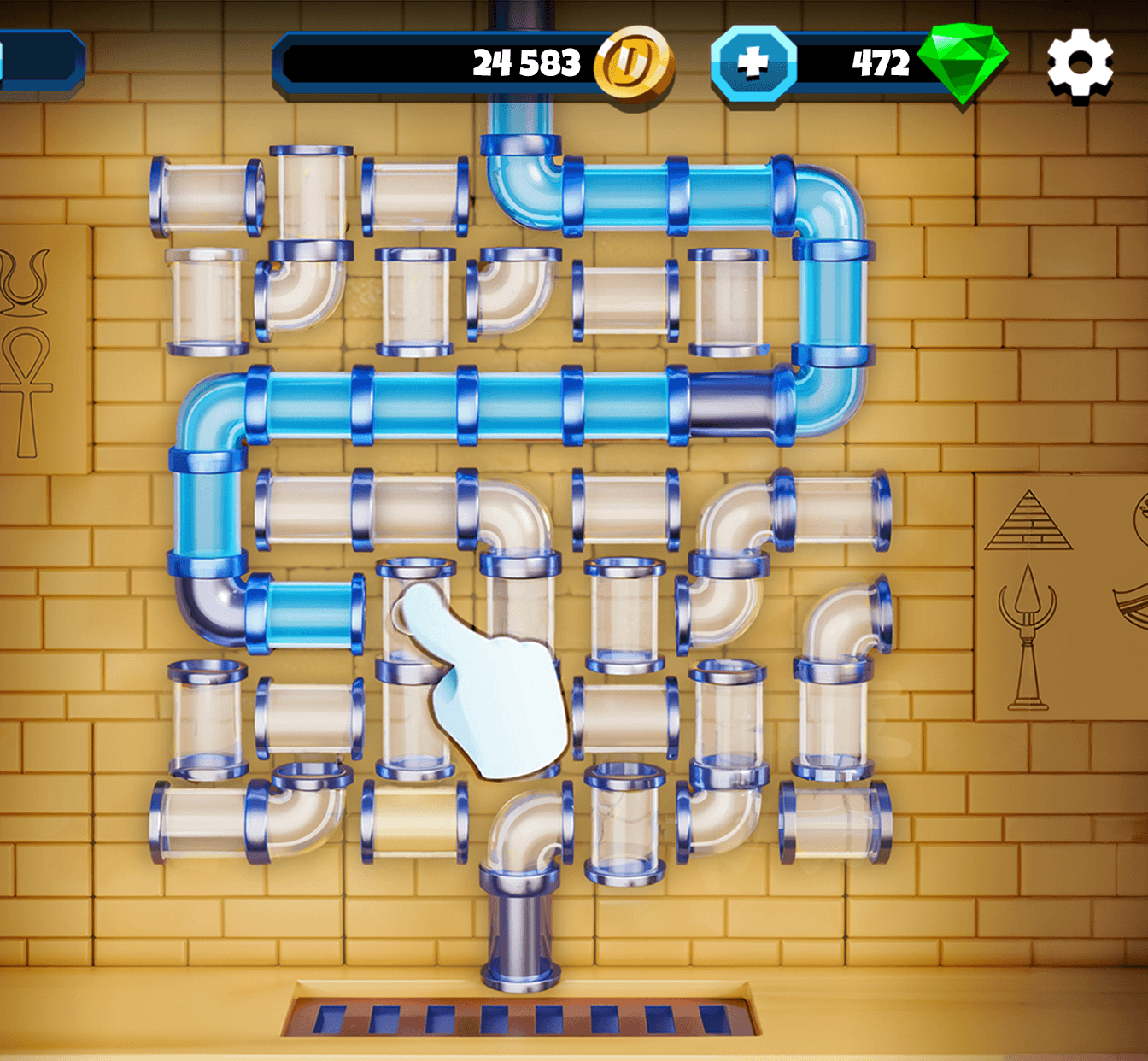
Energy is the primary gate. It regenerates continuously, including offline, at a rate set by your green Regeneration equipment, and is stored up to a ceiling set by your blue Capacity equipment. When it runs out you can wait, cook an instant refill in the Kitchen, collect god children in neighbours' camps, watch Daily Extra Energy ads, or spend gems.
The social layer runs on the Facebook and portal versions only. You visit neighbours' camps, exchange gifts and collect god children that respawn every 22 hours. Neighbours can also place windmills in your camp, each paying passive energy for seven days, with the Holland System upgrade raising how many you can host. The standalone mobile app does not have any of this, which is the single biggest difference between the versions.
Regions, modes, and content at a glance
The game spans nine major regions with escalating energy costs: Egypt as the starting region, Scandinavia introducing windmills and god children, then China where costs climb sharply, Atlantis, Greece, the New World, Terra, Mars and finally India, the most recent addition. The store listing advertises 1,000+ levels, hundreds of mines and temples, and 500+ unique characters.
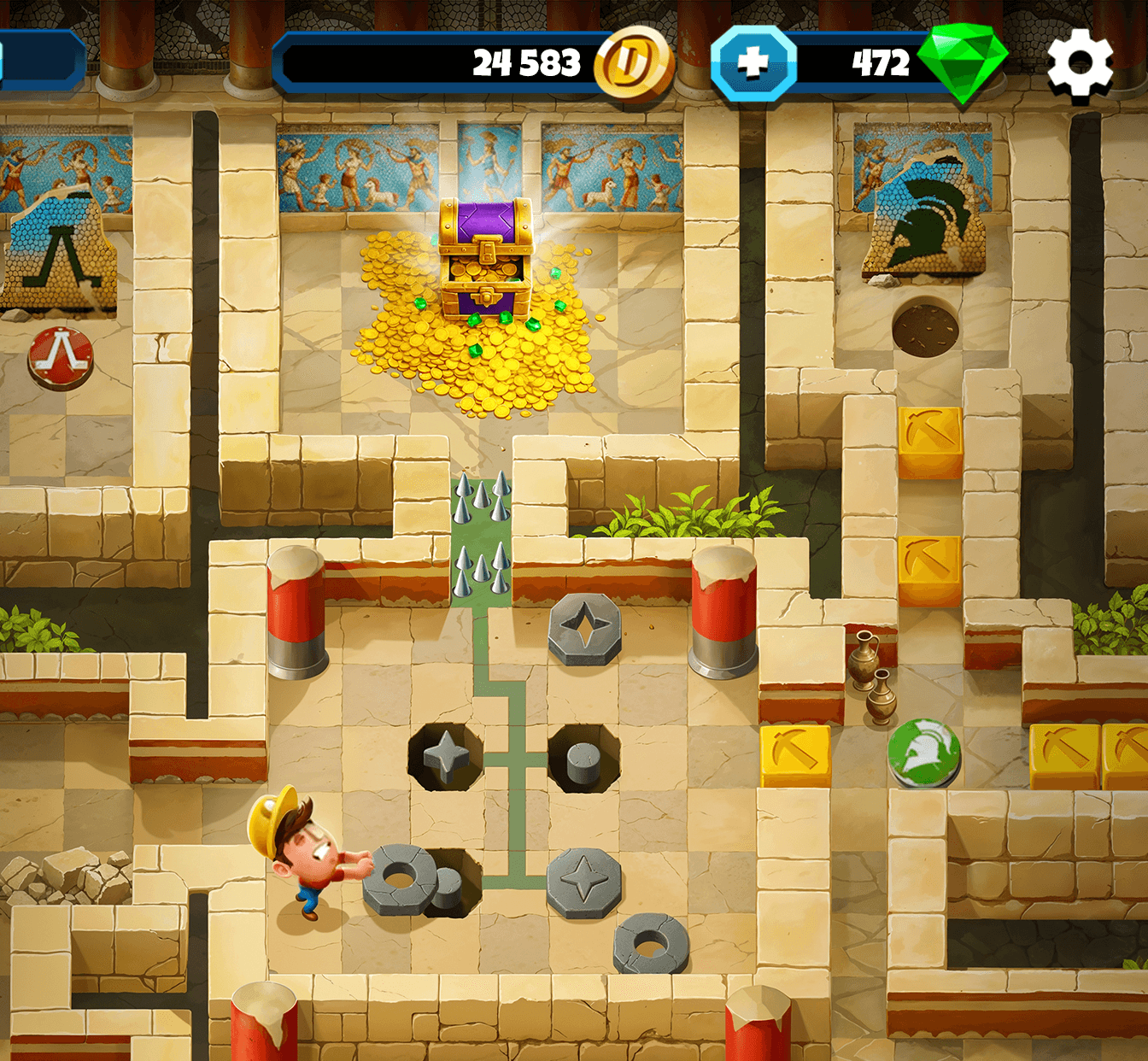
- Story quests: The main storyline, unlocking sequentially through the regions.
- Side quests: Optional mini-stories and god-specific questlines.
- Repeatable mines: Resource farms for materials, treasures and event tokens.
- Limited-time events: Themed locations, quests and rewards, typically running two to four weeks.
- Special weeks: One-week resource events such as Candyland, Builder and Postcard weeks.
- Puzzle Tower: A multi-floor challenge with photo album rewards, rerun periodically.
- Nonogram: A weekend puzzle activity.
Progression, currencies, and the energy system
Progression runs on XP and levels. Digging tiles grants XP, and levelling up rewards instant energy, unlocks better shop equipment and raises the value of the collectible rings used in special weeks. You can accelerate it by rushing mines, sending caravans during Double Production Week, and from level 100 buying pillars with surplus materials purely for the XP.
- Energy: The gating resource. From regeneration, cooking, god children, level-ups, daily rewards and ads. Spent on digging tiles.
- Coins: From quests, god children and sales. Spent on some equipment and caravan tickets.
- Gems: The premium currency. From level-ups, achievements, gems scattered in mines, the Event Pass free row, reward codes and purchases. Spent on speed-ups, special equipment, passive effects and event passes.
- Materials: Wood, stone, coal, copper, tin, iron and region-specific items. Farmed from repeatable mines, caravans, neighbour gifts and events.
- Event tokens: Earned in events, spent on event-specific equipment and rewards.
- Green and red rings: Collectibles used during the special weeks to multiply rewards.
The daily and weekly loops are where a no-spend player actually lives: the daily login reward on a multi-day cycle with milestone chests, three Lucky Cards Tent draws every 8 hours, up to three Daily Extra Energy ads when the bar is empty, the Pixel Shop daily energy and Pixel Coins, and neighbour visits on the 22-hour god children timer. Events rotate on roughly a four-week cycle.
Monetization, pricing, and odds disclosure
Diggy's Adventure is free to play with optional in-app purchases. The App Store lists gem and resource packs, an Event Pass, a deluxe pass and larger bundles, with visible prices running from around $4.99 to $99.99. Purchases also cover energy refills, equipment packs, mystery boxes, speed-ups, passive effects and decorations.
One detail worth knowing before you buy anything: the game uses a tiered offer system with several price levels, assigned algorithmically based on past purchase behaviour. Players can contact support to have their tier fixed at a preferred level. That is unusual enough to be worth stating plainly, because the price you see is not necessarily the price another player sees.
There is no gacha on the critical path, but randomised rewards do appear in the Lucky Cards Tent, in Daily Extra Energy, and in treasure part drops from specific mines. Probability distributions for the randomised reward tables are documented publicly, in line with the App Store and Google Play requirements on odds disclosure.
Rewards, promo codes, and free currency paths
Pixel Federation runs an official reward code system. Codes are announced on Instagram, Facebook and Reddit rather than maintained as a public list, and they are redeemed in-game: tap the Settings cogwheel in camp, tap Community, then Reward Code, enter the code exactly because it is case-sensitive, and tap Claim Now. Each code works once per account, and most are live for days rather than weeks.
Be sceptical of the code lists circulating elsewhere. The same two dozen strings appear on site after site, most carrying expiry dates months in the past, and there is no official list to check them against. The Diggy's Adventure free gems page covers where codes actually appear and what the game gives away without one.
- Level-ups: Instant energy every level, with gems appearing as level rewards over time.
- Achievements: Gems, green rings, XP and coins, all four doubled by watching an ad. Equipment does not double.
- Scattered mine gems: Placed inside mines, often behind puzzles, most densely in story mines.
- Event Pass free row: Every event runs a free reward track that includes gems at some thresholds.
- Daily loops: Login reward, Lucky Cards Tent, Daily Extra Energy and the Pixel Shop dailies.
- Neighbours: God children energy on a 22-hour timer, plus windmills placed in your camp.
Platforms, requirements, and cross-save
- Facebook: The original 2012 version, with the full social layer.
- Portal web: portal.pixelfederation.com. Needs a Pixel ID, and supports the neighbour features when connected to Facebook.
- iOS: App Store, roughly 350 MB, rated 9+.
- Android: Google Play, 10M+ downloads, rated 3+.
Energy regeneration and camp production continue offline, but an internet connection is required to load mines and save progress. Progress is stored on Pixel Federation's servers rather than the device, so the same account carries between platforms, and lost accounts are recovered by contacting support with a Player ID.
Community, ratings, and player sentiment
- Google Play: 4.4 stars from roughly 538,000 reviews, 10M+ downloads.
- App Store: 4.5 stars from roughly 43,000 ratings.
- Official forum: forum.pixelfederation.com/diggysadventure, where Pixel Federation staff post directly.
- Reddit: r/diggysadventuregame.
- Instagram: @diggysadventure, one of the places reward codes are announced.
The praise is consistent across both stores: longevity, puzzle quality, the depth of the camp optimisation layer, a fair free-to-play model and an active community. The complaints are equally consistent: energy gating that bites hard in the late regions, a mobile app missing the social features, getting stuck on specific quests, and the dependence on watching ads to double rewards.
Current state and update cadence
The game follows a predictable four-week content cycle: a new event launches, an older event is re-released free, a regional update lands, and a special week runs. Updates typically arrive on Tuesdays, and event end times are fixed rather than rolling, so a deadline is a deadline.
Diggy's Adventure remains a significant revenue contributor for Pixel Federation, generating roughly 13.4 million euros in 2024 against 14 million in 2023 within a company-wide total of about 38.4 million. The studio is profitable and continues to support the game alongside newer titles, which is the practical reason a fourteen-year-old Facebook game is still getting monthly content.
Pros, Cons, and Who It's For
Pros
- Fourteen years of content: 1,000+ levels across nine regions, still updated monthly
- Genuinely fair free-to-play model with no hard paywalls on the critical path
- Real strategic depth in the camp layer, balancing regeneration against capacity
- An official reward code system with a documented in-game redemption path
- Published probability tables for the randomised reward mechanics
- Puzzles have defined solutions rather than randomness, so being stuck is solvable
- 4.5 on iOS and 4.4 on Android across well over half a million ratings combined
Cons
- Energy gating bites hard from China onward, with late tiles costing thousands each
- The mobile app is missing the entire social layer unless you also use the browser version
- Reward doubling depends on watching ads, and ad-blockers silently break it
- Offer prices are tiered algorithmically by past spending, so what you are shown varies
- Reward links are posted around events rather than regularly, so there is little to catch
- No public list of active codes, and almost every third-party code list is long expired
Best For: Puzzle players who want a long game with real optimisation depth and are happy to work in-game timers and achievements rather than chase posted links.
Alternatives to Diggy's Adventure
Diggy's Adventure sits apart from most of what we cover, being a puzzle-adventure rather than a social casino. These are the closest comparisons among the games on this site.
- Dice Dreams: Board-and-dice progression with a similar timed-resource gate, where rolls play the part energy does here.
- Coin Master: The other big timer-gated progression game we cover, built on spins rather than energy, with a far busier reward-link feed.
- Family Farm: Another long-running Facebook-era title that moved to mobile, leaning on production chains and neighbour visits.
- Piggy GO: Travel-and-collect progression with dice as the gating resource, plus a genuine code system like Diggy's.
- Hero Wars: A different genre entirely, but the closest match for the code-driven reward model, with codes announced on social channels.
Where Diggy's Adventure leads is depth and fairness: a genuinely large puzzle game that has never needed a paywall. Where it lags, for a rewards site like this one, is the feed. There is very little posted to catch, and almost everything worth having is earned inside the game.
Diggy's Adventure FAQ
All 9 questions we get asked about Diggy's Adventure.
The basics
Promo codes

The Morning Reward team
IndependentWe write and update this guide from public sources, including Pixel Federation's own website, app store listings and official announcements. The free gems links on this page come from Diggy's Adventure's official social accounts and are listed newest first. We aren't connected to Pixel Federation. If you spot a mistake, email us and we'll fix it.
Last updated: August 26, 2026